Shape a Shopify collection's order in SellRank: claim percentage slots, narrow each one with conditions, rank it by one of 19 measures or a balanced score, and decide what happens to everything else.
This is part 2 of the SellRank tutorials. In part 1 you synced a collection using the default plan. Here you take control of it: which products get the top of the page, what each slice of the page is ranked by, and what happens to everything below.
How slots work
A slot claims a percentage of the collection and fills it from the top down. The first slot chooses from every product, the second from what is left, and so on. Percentages scale with the collection, so the first 20% means 20 products on a 100-product page and 8 on a 40-product page.
- A slot that matches fewer products than its size passes the shortfall on to the next slot, so the page never has gaps.
- Whatever the slots do not claim follows the Everything else order at the bottom of the plan.
- Products that are not published to your online store always sit last.
Step 1: Add and size your slots
- 1Under 2 · The order plan, set the percentage for the first slot and give it a name you will recognise, such as In stock, trending.
- 2Click + Add slot for another slice. Slots are labelled First, Next and so on, in the order they fill.
- 3Reorder slots with the up and down arrows, or remove one with Delete.
- 4Watch the badge beside the heading. It shows how much of the page the slots claim, such as 40% in slots · 60% remaining.
Step 2: Narrow a slot with conditions
Conditions decide which products a slot may pick. Click + Add condition under a slot, then choose an attribute, a comparison and a value. A slot with two conditions picks only products that match both.
- Product: price, compare-at price, discount %, product title, product type, vendor, tag, days since created, review rating and review count.
- Inventory: available to buy, inventory - total units, sell-through % over 30 days, and days of stock cover.
- Performance: product views, add-to-carts, orders and revenue over 7 or 30 days, conversion %, and cart-to-view %.
Step 3: Choose how each slot is ranked
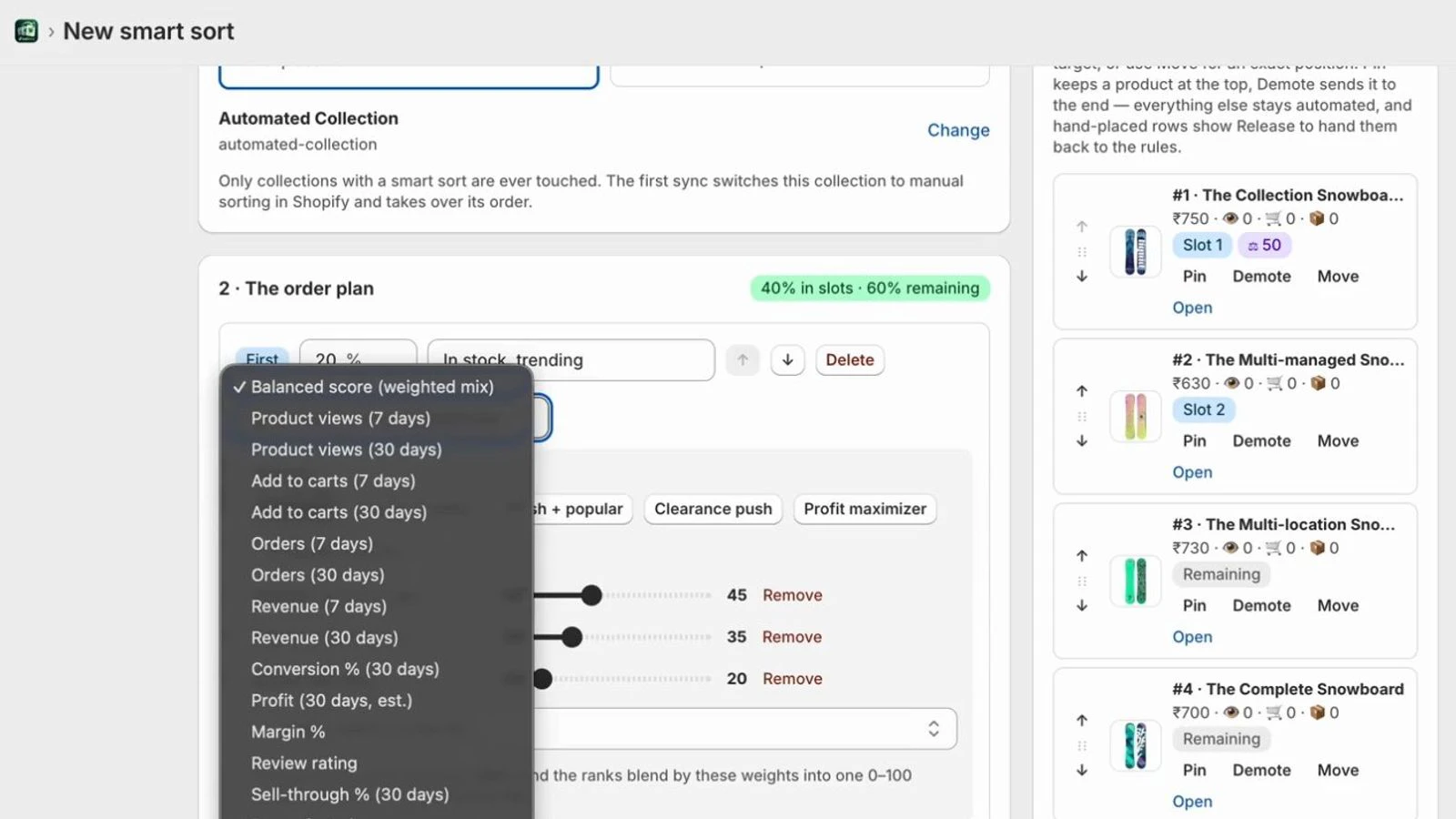
Each slot is ranked by one measure, or by a balanced score that blends several. There are 19 measures to choose from:
- Engagement, counted by SellRank's own pixel: product views and add-to-carts, over 7 or 30 days.
- Sales, from your Shopify orders: orders and revenue over 7 or 30 days, and conversion %.
- Stock: sell-through %, days of stock cover and inventory units.
- Catalogue: newest first, price low to high or high to low, discount % and review rating.
- Profit over 30 days (estimated) and margin %, on the Scale and Max plans.
Measures with a direction let you choose High to low or Low to high.
Step 4: Use the balanced score
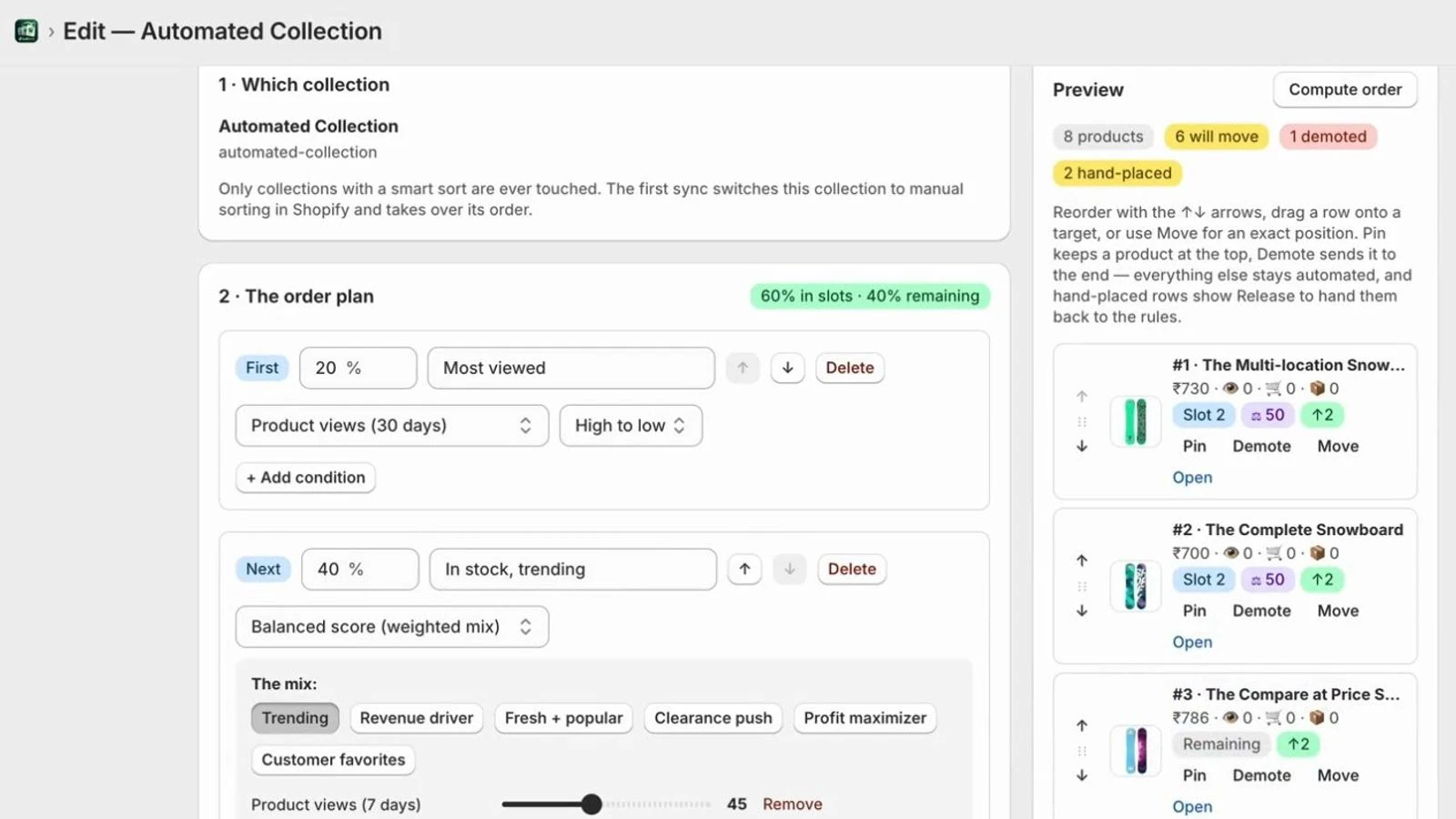
The balanced score ranks products on each measure in a mix, then blends those ranks, using weights you set, into one score from 0 to 100. The score is shown on every preview tile, so you can always see why a product placed where it did. Because it blends ranks rather than raw numbers, one runaway bestseller cannot flatten everything else.
Start from a preset, then drag the sliders to change the weights:
- Trending: product views (7 days) 45, add-to-carts (7 days) 35, orders (30 days) 20.
- Revenue driver: revenue (30 days) 40, orders (30 days) 35, product views (30 days) 25.
- Fresh + popular: newest 50, product views (30 days) 30, add-to-carts (30 days) 20.
- Clearance push: discount % 40, days of stock cover 30, product views (30 days) 30.
- Customer favorites: review rating 35, orders (30 days) 35, conversion % 30.
- Profit maximizer, on Scale and Max: profit (30 days, estimated) 45, conversion % 30, product views (30 days) 25.
Add another measure with + Add a metric to the mix, or take one out with Remove.
Step 5: Decide what happens to everything else
Below the slots, Everything else ordered by sets the order for the rest of the collection. It takes any measure or the balanced score, or Current Shopify order to leave the rest where it already is. Tick Push out-of-stock products to the end so sold-out items never sit above ones a shopper can buy.
Three plans worth copying
- A bestsellers collection: a first slot of in-stock products ranked by revenue (30 days), and everything else ranked by revenue too.
- A new-arrivals page: a first 30% of products created in the last 30 days, ranked newest first; a next 30% ranked by the Fresh + popular mix; everything else by product views (30 days).
- A sale collection: a first 40% ranked by the Clearance push mix, and everything else by discount %, with out-of-stock products pushed to the end.
Next in this series
Part 3 covers hand curation: pinning a hero product, demoting one that should sink, and placing products at exact positions.
